Public Beta

Think freely.
No setup required.

Everything you need to think - local-first, fully loaded, and free forever. AI-powered when you want it.

Available on Android. Desktop app coming to your inbox:
Free forever · Mac, Windows & Android · No account required · No upsell, no feature gating
~/vaults/second-brain
Lifecycle
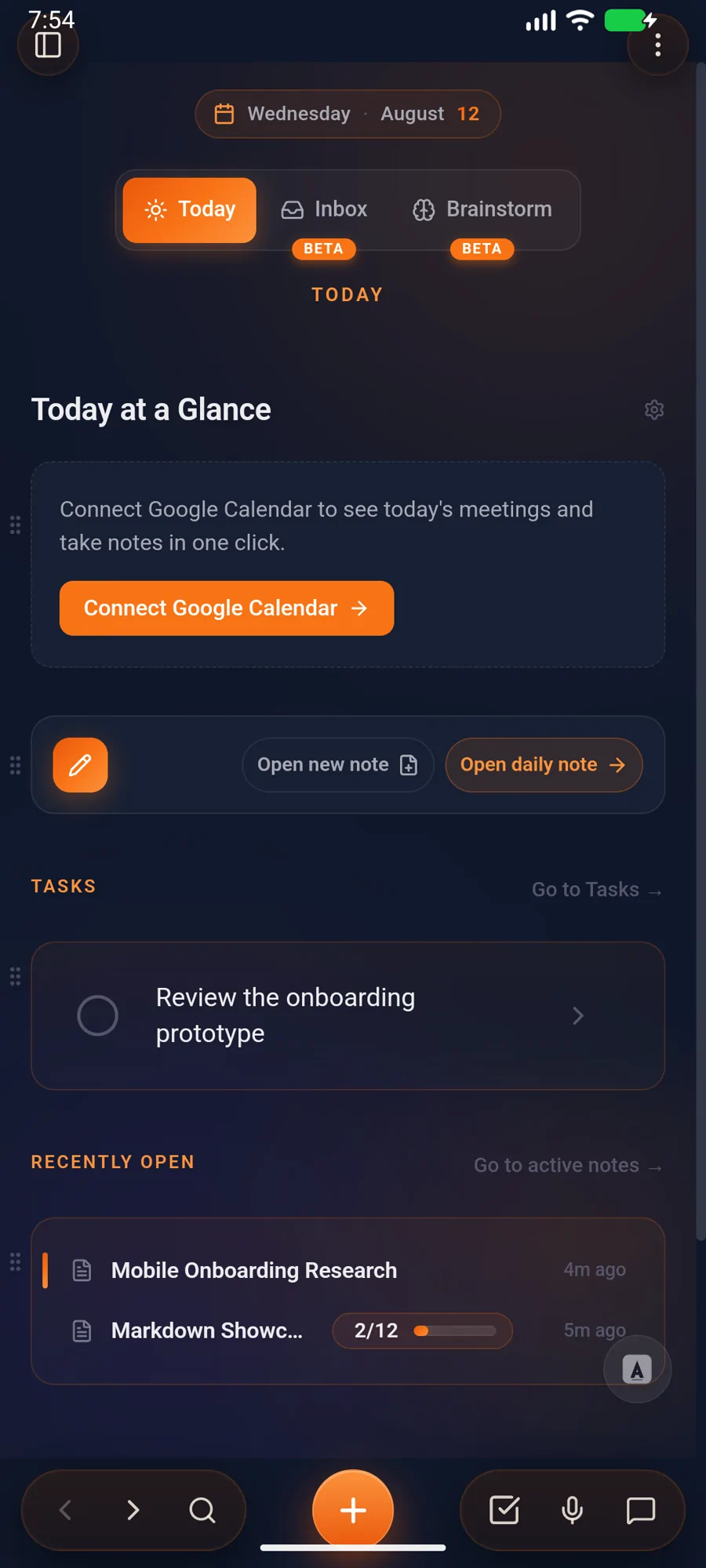
Today
Inbox4
Active23
Archive412
Tools
Ask Brain
Graph view
Today
What's alive
right now.
What's on your mind? ⌘⇧N
Write up the Lifecycle gap analysis today
Reply to Hamish re: graph view today
Try unlinked mentions on big vault tomorrow
Ship 3.8 release notes
Auto-tagged
100% local
The philosophy

Three commitments.
Zero compromise.

Every decision we make traces back to these. They're not features - they're the foundation.

Pillar 01

Complete from day one.

Dashboard, graph view, tasks, kanban, templates, voice memos, present mode, split view, unified search, and AI - all shipping, all designed to work together. No plugins to hunt, no community configs to copy, no weekend setup sessions.

14 built-in features
0 plugins required
Be productive, not act productive.
Pillar 02

Local, fast, yours.

Your Markdown files on your device. Snappy because there's no server round-trip. Works with existing vaults - Obsidian, iA Writer, or plain folders. No lock-in, no migration, no proprietary format. The app works on a plane, and it'll work in 30 years.

$ ls ~/vaults/second-brain
439 .md files - 0 proprietary blobs
Pillar 03

AI on your terms.

AI is woven into the experience but never forced. Run a local model, bring your own API key (Gemini, OpenAI, Anthropic), or let us host it. Same features every way. No upsell, no feature gating. Turn it on, turn it off.

3 ways to run AI
Local model - BYOK - Managed
You choose. We don't care which.
Why Ariv

The local-first vault you already love.
Without the weekend setting it up.

Same files, same trust model, same offline guarantees. Different posture: opinionated where it matters, invisible where it doesn't.

The blank-vault experience
A Saturday, gone.
- Install three plugins for tasks. Two more for daily notes. One for templates. Update them every week.
- Decide your folder system. Re-decide it. Migrate. Re-decide it again next quarter.
- Choose a tagging convention before you've written 10 notes. Live with it forever.
- Sync costs $4/mo for 1 GB and a single vault.
- AI? That's a paid plugin or your own API key wired up by hand.
The Ariv experience
Open it. Start writing.
Tasks, daily notes, capture, templates - first-class. Built in. Updated by us.
No folders to design. Notes flow Inbox → Active → Archive on their own, by recency and usage.
Auto-tagging reads your words. The schema is your writing, not a system you maintain.
10 GB E2E sync from $3/mo, unlimited devices on Sync+AI. Or sync via iCloud yourself, free.
AI ships with the app. Run local models, plug in your key, or let us host it - pick your path.
The lifecycle of an idea

Notes have a life. Your vault should too.

Three stages, no buttons. Notes flow between them based on when you touched them last.

Inbox - just landed

Quick captures and half-formed thoughts land here. Process them later, or let them sit. They're safe.

Quick capture - 8:14am.md
Voice memo - drive home.md

Active - this week

What you're touching right now. Recently edited, recently linked, recently on your mind. Front and centre on your dashboard.

Ariv, Q2 plan.md
Lifecycle metaphor.md

Archive - remembered

Long-term memory. Old notes drift here on their own. Still searchable, still linkable, still yours. Resurface them by linking, mentioning, or asking.

412 notes
2,118 wikilinks
In the box

Everything you'd install plugins for. Already here.

Tasks, capture, daily notes, AI. First-class, shipped, kept up to date.

Quick Capture

One global hotkey, anywhere on your machine. A floating overlay drops in, you write, it's gone - routed to your Inbox before you lose the thought.

From any app ⌘⇧N

Daily Notes

A new page every morning, pre-populated with your open tasks and a date heading. Just open, start writing.

Auto-rolls forward ⌘T

Inline Tasks

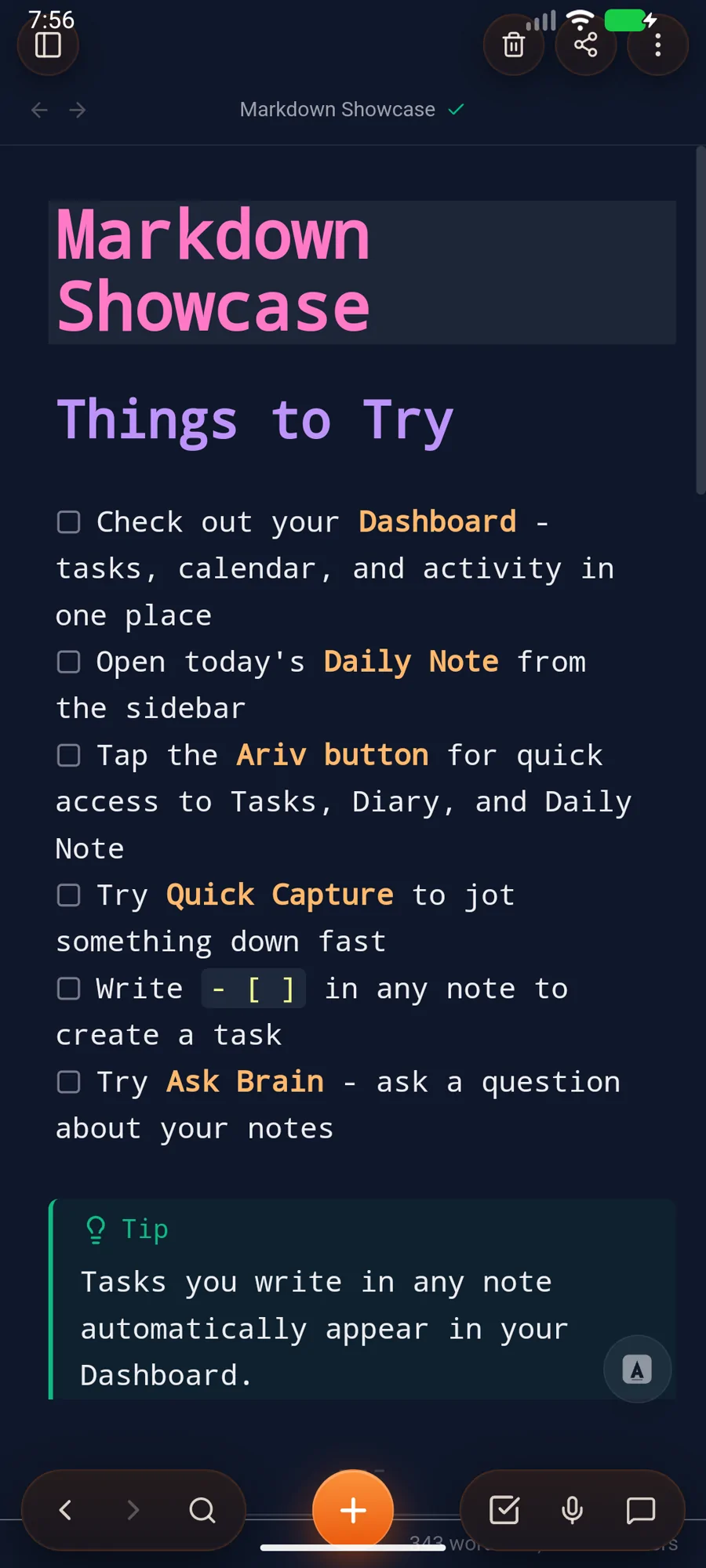
Write - [ ] in any note. Ariv finds it, surfaces it on your dashboard, and lets you check it off from anywhere.

Across every note ⌘K T

Auto-Tagging

Ariv reads your notes and pulls tags from your own words. The taxonomy is your writing, not a scheme you have to design and police forever.

Local heuristics - zero round-trips

Backlinks & Graph

Wikilinks, unlinked-mention detection, a graph view that doesn't choke on 10k notes. The connective tissue you expect, and it's fast.

Built in, no plugin ⌘G

Ask Brain. Talk to your vault.

Semantic search and conversational answers grounded in your own notes. Ask about something past-you wrote three months ago. Get an answer, with the receipts.

Local - BYOK - Managed ⌘B
What did past-me say about the lifecycle metaphor?
You called it "either too clean or it's the whole product" in Thu's reflection. The cleanest framing showed up in the Q2 plan: notes have a life, not a state.
AI, your terms

Three ways to think with your notes.

Pick the one that matches your tolerance for setup and cost. Switch any time. Semantic search, auto-tags, and Ask Brain work the same across all three.

Local model

Free

Run an open-source model on your own hardware. Nothing leaves the device. Slower on small Macs, fast on a decent GPU, free at any scale.

Ollamallama.cppLlama 3Qwen

Bring your own key

Free

Paste an OpenAI, Anthropic, or Google key and you're done. You pay your provider directly. We never see the traffic, we never markup the price.

OpenAIAnthropicGeminiGroqOpenRouter

We host it

Add-on

No keys, no setup, no thinking about quotas. Sign in once, get a frontier model wired up, done. Fair-use limits, encrypted in transit, easy to cancel.

Sign in & goNo API keyFrontier-class
Pricing

Pay only for the infrastructure.

The app is free, with every feature. Sync and managed AI are optional add-on services for when you'd rather not run the infrastructure yourself.

Free

The full app, on you.
$ 0 /forever
No card. No account.
  • The complete app, every feature, no gates
  • Local-first storage on your device
  • BYOK or local AI - OpenAI, Anthropic, Gemini, Ollama
  • Self-managed sync via iCloud, Dropbox, git, etc.
  • Unlimited devices - it's your machine

Sync + AI

Sync plus we run the AI for you.
$ 9 /month
Billed monthly - cancel anytime
$ 8 /month
$96 billed yearly - save 11%
  • Includes everything in Sync, plus:
  • Managed AI - no key, frontier-class
  • Unlimited devices on managed AI
  • Writing assist, semantic search, auto-tag
  • Fair-use AI tokens - cancel anytime
14-day money-back guarantee - Compare all tiers →
Common questions

The honest answers.

What happens to my notes if Ariv goes away?
Nothing. Your vault is plain Markdown files on your disk. We have never had a copy in plaintext. Open them in any editor. Pipe them through grep. Your notes are yours, forever.
Why is the desktop app free?
Because it costs us nothing to give it to you. The app runs entirely on your machine, so we don't have to host anything for it to work. The paid tiers are real services we run servers for: encrypted sync and managed AI. Those cost money, so they cost money. The app stays free.
How is this different from Obsidian?
Same trust model: local files, your machine, your call. Different posture. Tasks, daily notes, capture, AI, and auto-tagging are all built in, kept up to date by us, and don't require you to assemble or maintain a plugin stack.
Can I use my existing Obsidian vault?
Yes. Point Ariv at any folder of Markdown files and it reads them as-is. No migration, no import, no conversion. Your existing folder structure, tags, and wikilinks all carry over. You can even use both apps on the same vault.
Can I use a local LLM and never touch your servers?
Yes. Point Ariv at Ollama or llama.cpp and the entire AI surface runs offline on your hardware. Auto-tagging, Ask Brain, semantic search. No traffic, no telemetry on AI calls.
How does the encryption work?
Sync keys are derived on your device from your password. The server stores encrypted blobs and minimal metadata. We cannot decrypt your notes even if compelled to. If you lose your password, your one-time recovery key is the only way back in.
Will you ever paywall a feature in the app?
No. That's the line. The app is the app. If it's in the app, it's free. The only paid things are services where we have ongoing infrastructure costs (sync, hosted AI). We will never gate auto-tagging, graph view, search, or anything else that runs locally.
What about mobile?
Android is available now. iOS is in development. Join the Discord for updates. Desktop ships today on Mac and Windows.

Think freely.
No setup required.

Your best ideas are waiting for a place to live.

Available on Android. Desktop app coming to your inbox:
Free forever - Mac, Windows & Android - No account needed